Published
- 9 min read
How to Think Like a Programmer: A Beginner Guide
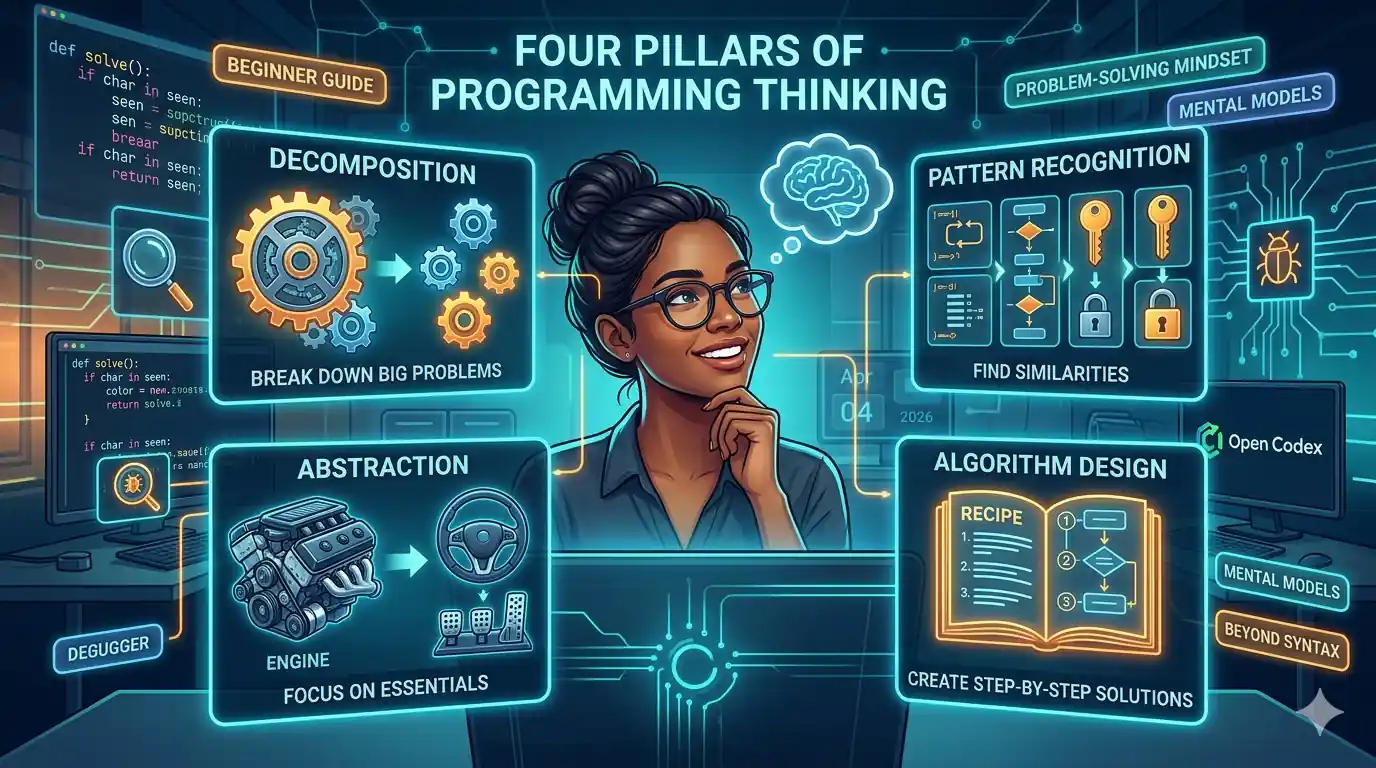
How to Think Like a Programmer: A Beginner’s Guide
When most people start learning to program, they focus on the wrong thing. They memorize syntax, copy code from tutorials, and wonder why they still can’t build anything on their own.
The truth is: programming is not about learning a language. It’s about learning to solve problems.
You can learn Python in a week. You can learn JavaScript in a month. But learning to think like a programmer? That takes years of practice—and most resources never even teach it.
This guide will give you the mental models that separate programmers who struggle from those who solve problems elegantly.
Índice
- What Does “Think Like a Programmer” Actually Mean?
- The Four Pillars of Programming Thinking
- Pillar 1: Decomposition
- Pillar 2: Pattern Recognition
- Pillar 3: Abstraction
- Pillar 4: Algorithm Design
- A Practical Example: Solving Problems Step by Step
- The Debugging Mindset
- Common Thinking Errors Beginners Make
- Exercises to Practice
- Conclusion
What Does “Think Like a Programmer” Actually Mean?
When we say someone “thinks like a programmer,” we mean they:
- Break down complex problems into simple pieces
- Recognize patterns from previous problems
- Focus on essential details, ignoring the noise
- Build step-by-step solutions systematically
Think of it like building with LEGO blocks. A beginner sees a complex LEGO castle and thinks “how do I make THAT?” An experienced programmer sees the same castle and thinks “I need to build the base, then the walls, then the towers—each one is just a combination of basic bricks.”
The Four Pillars of Programming Thinking
Before diving into techniques, let’s understand the four fundamental mental skills every programmer uses:
| Pillar | What It Means | Real-World Example |
|---|---|---|
| Decomposition | Break big problems into small ones | Planning a trip vs. booking flights, hotels, activities |
| Pattern Recognition | Find similarities with problems you’ve solved | Recognizing that “find the duplicate” is like “find the needle” |
| Abstraction | Focus on what matters, ignore details | Driving a car without knowing engine mechanics |
| Algorithm Design | Create step-by-step instructions | Following a recipe |
Pillar 1: Decomposition
The skill: Breaking a large problem into smaller, manageable pieces.
Why It Matters
When you face a problem like “build a todo app,” it feels overwhelming. When you break it into:
- Add a task
- Delete a task
- Mark task as complete
- Save tasks to storage
Suddenly, each piece is simple enough to solve individually.
How to Practice Decomposition
When given a problem, ask yourself:
       1. What is the problem asking me to do, exactly?
2. What are the smallest possible pieces?
3. Can I solve each piece independently?
4. How do these pieces connect?
Example: Decomposing “Make Coffee”
| Step | Is it atomic? |
|---|---|
| Boil water | Yes |
| Add coffee grounds to filter | Yes |
| Pour water through filter | Yes |
| Serve in a cup | Yes |
Each step is simple. Together, they make coffee.
Your Turn
Try decomposing “Build a calculator app”:
       Break it down:
1. User presses number buttons
2. User presses operation buttons (+, -, etc.)
3. Calculator stores the first number
4. Calculator stores the operation
5. User presses equals
6. Calculator computes result
7. Display shows result
Pillar 2: Pattern Recognition
The skill: Identifying when a new problem is similar to one you’ve already solved.
Why It Matters
Every problem you solve teaches you patterns. The more patterns you know, the faster you can recognize and solve new problems.
Common Patterns in Programming
       1. "Do something for each item" → Use a LOOP
2. "Find something in a collection" → Use SEARCH
3. "Store things to access later" → Use a LIST or DICT
4. "Make a decision based on conditions" → Use IF/ELSE
5. "Repeat until done" → Use a WHILE loop
Example: Recognizing Patterns
Problem 1: “Sum all numbers in a list”
       numbers = [1, 2, 3, 4, 5]
total = 0
for num in numbers:
    total += num
Problem 2: “Count all characters in a string”
       text = "hello"
count = 0
for char in text:
    count += 1
Pattern recognized: Both use “loop through items and accumulate.”
Your Turn
What pattern do these have in common?
- Find the maximum value in a list
- Find the shortest word in a sentence
- Find the most expensive product in an order
Answer: They’re all “find the extreme value” pattern. The solution looks similar.
Pillar 3: Abstraction
The skill: Identifying what’s essential and ignoring irrelevant details.
Why It Matters
Every problem has noise. Abstraction helps you focus on what actually matters.
Example: Abstraction in Action
Problem: “Write a program that greets users by name”
       # Non-abstracted thinking
# "I need to ask their name, then print it with Hello,
# but what if they type it with spaces? What about special characters?
# What if they use Unicode names? What about..."

# Abstracted thinking
# "I need to print 'Hello, [name]'. Get input, print output. Done."
The core problem is simple: get input, print greeting. The edge cases can come later.
Abstraction Levels
| Level | Example | When to Use |
|---|---|---|
| Concrete | ”Print Hello World” | Learning basics |
| Abstract | ”Create a reusable greeting function” | Writing clean code |
| Very Abstract | ”Create a templating system” | Building frameworks |
Your Turn
What matters and what’s noise?
Problem: “Calculate a student’s average grade”
Essential: Grades, calculation method Noise: Student’s name, student ID, date of birth, class schedule
Pillar 4: Algorithm Design
The skill: Creating clear, step-by-step instructions to solve a problem.
What Makes a Good Algorithm?
- Clear: Each step is unambiguous
- Ordered: Steps follow a logical sequence
- Finite: The process eventually ends
- Complete: It covers all cases
Example: Algorithm vs. Code
Algorithm (plain English):
       1. Start with the first number
2. Compare it with the next number
3. If the next is larger, remember it
4. Move to the next number
5. Repeat until no more numbers
6. The remembered number is the largest
Code (Python):
       def find_maximum(numbers):
    if not numbers:
        return None

    maximum = numbers[0]
    for num in numbers:
        if num > maximum:
            maximum = num

    return maximum
The algorithm comes first. The code is just translation.
Your Turn
Write an algorithm for “making a peanut butter and jelly sandwich” (yes, this is a famous programming exercise):
       1. Get two slices of bread
2. Get peanut butter
3. Get jelly
4. Open the peanut butter jar
5. ...
A Practical Example: Solving Problems Step by Step
Let’s apply all four pillars to solve a real problem.
Problem: “Find if a string has all unique characters”
Step 1: Clarify and Decompose
       Questions to ask:
- What do you mean by "unique"? No repeating characters?
- What about spaces? Punctuation?
- What should I return? True/False? The duplicates?
- What about empty strings?

Assumptions:
- Case-sensitive ( 'A' and 'a' are different)
- Return True if all unique, False otherwise
- Empty string returns True
Step 2: Recognize Patterns
       Have I seen this before?
- "Check if something exists" → Use a SET
- "Track what I've seen" → Use a data structure
- Similar to: finding duplicates, checking membership
Step 3: Abstract
       Core problem: Check if any character appears twice.

Ignoring for now:
- Input validation
- Unicode edge cases
- Performance optimization
Step 4: Design Algorithm
       1. Create an empty set to track seen characters
2. For each character in the string:
   a. If character is already in the set, return False
   b. Otherwise, add it to the set
3. If we finish the loop, return True
Step 5: Write Code
       def has_all_unique(s: str) -> bool:
    seen = set()

    for char in s:
        if char in seen:
            return False
        seen.add(char)

    return True

# Test cases
print(has_all_unique("hello"))  # False
print(has_all_unique("world"))   # True
print(has_all_unique(""))        # True
Step 6: Consider Edge Cases and Optimize
       # What if we need to solve it without extra space?
# (Using a sorting approach)

def has_all_unique_no_space(s: str) -> bool:
    return len(s) == len(set(s))

# This is simpler but uses more memory internally
# Both solutions are valid depending on requirements
The Debugging Mindset
Here’s a secret: professional programmers spend more time debugging than writing new code.
When something breaks, the debugging mindset kicks in:
The Debugging Process
- Reproduce: Can you make the bug happen consistently?
- Isolate: What specific part of the code causes it?
- Hypothesize: Why would this happen?
- Test: Run experiments to prove/disprove your hypothesis
- Fix: Make the smallest change that solves the problem
- Verify: Does the bug stay fixed?
Example Debugging Session
       # Bug: Calculator gives wrong total
def calculate_total(prices):
    total = 0
    for price in prices:
        total =+ price  # Bug: =+ instead of +=
    return total

# Step 1: Reproduce
# calculate_total([10, 20, 30]) returns 30 instead of 60

# Step 2: Isolate
# The issue is in the line: total =+ price

# Step 3: Hypothesize
# "=+" assigns positive value, not adding

# Step 5: Fix
# total += price

# Step 6: Verify
# Now returns 60 correctly
Common Thinking Errors Beginners Make
Error 1: Trying to Solve Everything at Once
Mistake: Reading an entire problem and immediately trying to code the solution.
Fix: Work step by step. Write pseudocode first.
Error 2: Not Reading the Problem Carefully
Mistake: Skimming and assuming what the problem asks.
Fix: Read the problem twice. Write down what you understand.
Error 3: Not Starting with Examples
Mistake: Diving straight into code without manual testing.
Fix: Solve the problem by hand first. Then automate.
Error 4: Giving Up Too Soon
Mistake: Seeing a hard problem and thinking “I’m not smart enough.”
Fix: All programmers struggle. The difference is persistence.
Error 5: Not Breaking Before Asking for Help
Mistake: Posting to Stack Overflow without trying.
Fix: Spend 30 minutes minimum debugging before asking.
Exercises to Practice
Exercise 1: Decomposition Practice
Take these complex tasks and break them into 5-8 steps:
- Order food delivery online
- Plan a birthday party
- Build a blog from scratch
Exercise 2: Pattern Recognition
What pattern connects these problems?
- Find the average of test scores
- Find the highest temperature this week
- Find the longest word in a sentence
Solution: All are “find extreme value” problems.
Exercise 3: Abstraction Practice
For each problem, identify what’s essential and what’s noise:
- Send someone a birthday email
- Count how many times each word appears in a file
- Create a schedule for your week
Exercise 4: Algorithm Writing
Write an algorithm (in plain English) for:
- Making a cup of tea
- Finding a word in a dictionary
- Deciding what to wear today
Conclusion
Thinking like a programmer is a skill that can be learned, not an innate talent.
The Four Pillars Summary
| Pillar | Question to Ask |
|---|---|
| Decomposition | ”Can I break this into smaller pieces?” |
| Pattern Recognition | ”Have I solved something like this before?” |
| Abstraction | ”What’s actually essential here?” |
| Algorithm Design | ”What are the exact steps?” |
Your Action Plan
- Practice decomposition: Break every problem you face into smaller pieces
- Build pattern libraries: Keep a notebook of problems and solutions
- Abstract intentionally: When solving problems, explicitly ask “what matters?”
- Write algorithms first: Practice writing steps before code
The Real Secret
The best programmers aren’t smarter. They’ve just failed more times and learned from it.
Every bug you fix makes you better. Every problem you struggle through builds your pattern library. Every time you break down a complex task, your decomposition muscle grows.
You don’t need to be a genius. You need to be persistent.
If you found this guide helpful, share it with fellow developers starting their journey. And remember: the goal isn’t to solve problems fast. It’s to solve problems methodically.
Continue Learning: